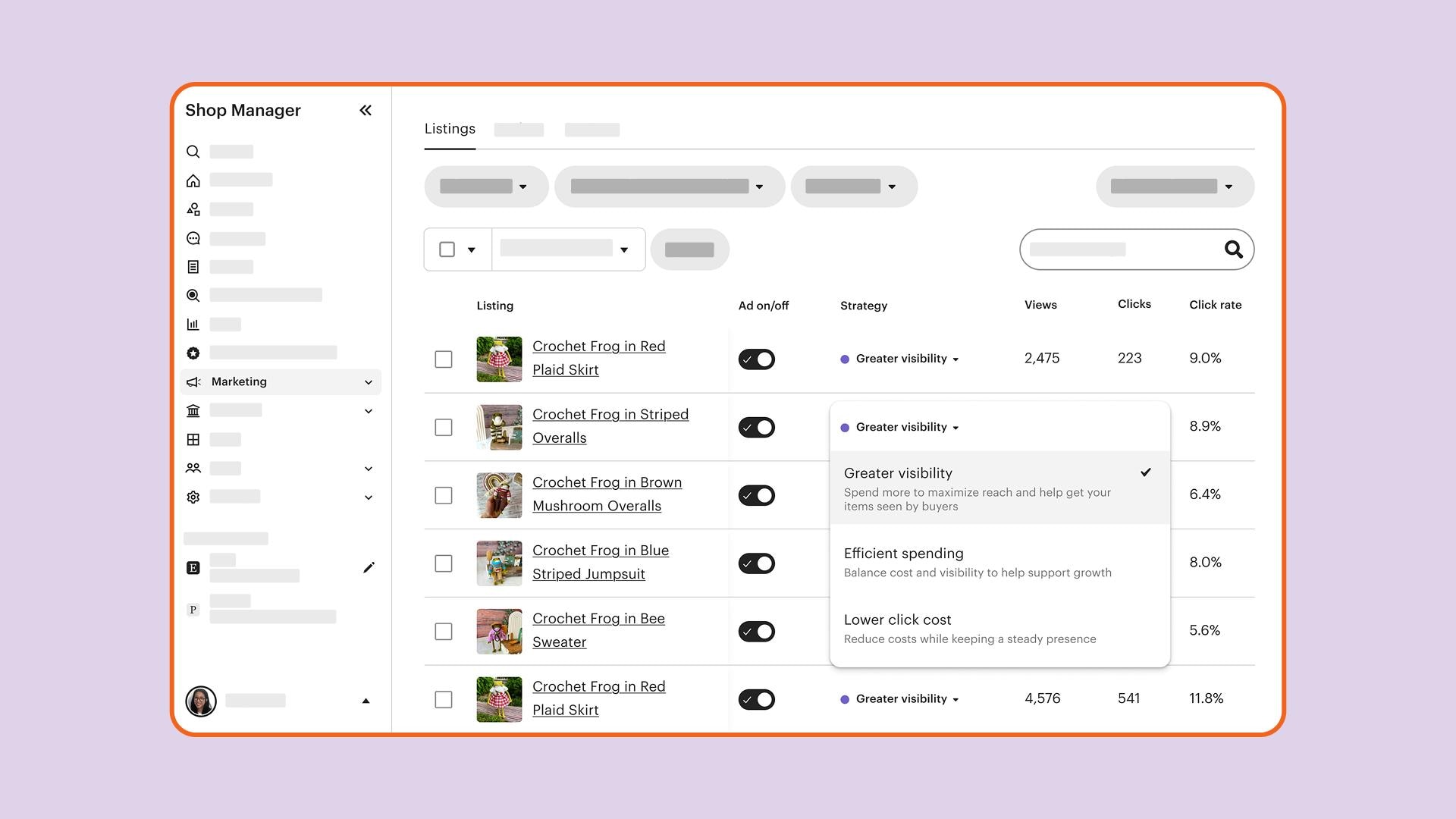
We're always working towards giving you more tools to grow your shop with confidence. Today, we're introducing listing strategies for Etsy Ads, a new way to guide how your ads budget is allocated, listing by listing.
If you have a daily ads budget of $25 or more, you can now choose a strategy for each of your listings, instead of applying one strategy across your entire campaign. This gives you more flexibility to support your goals across your shop, whether that's getting your bestsellers in front of more buyers, keeping costs in check on lower-margin items, or finding a balance somewhere in between.
From campaign strategy to listing strategy
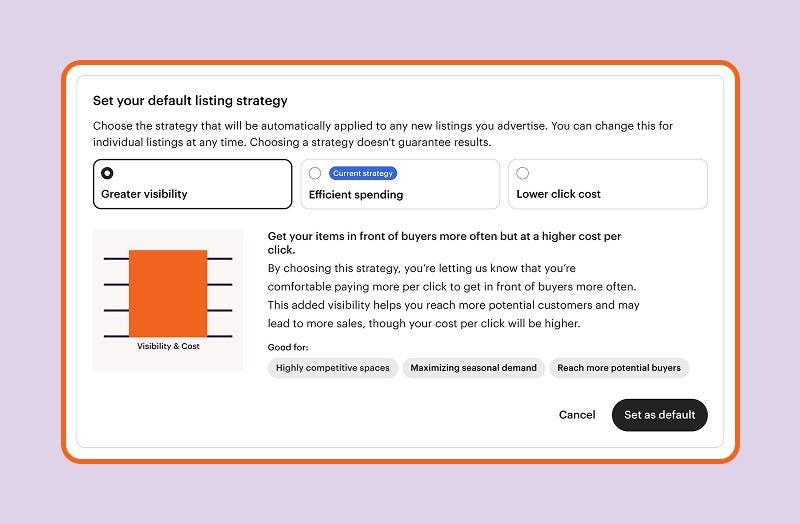
If you've been using Etsy Ads with a daily budget of $25 or more, you may be familiar with campaign strategy—the goal you set for your entire campaign. Listing strategies take that same idea to each listing, giving you the same simplicity with more optimized control where you want it.
When you first access this feature, your current campaign strategy is already applied to all listings as a starting point. Nothing changes until you update a listing.
You can update any listing at any time. Listings you don’t update will continue to follow your default strategy.
The three listing strategies
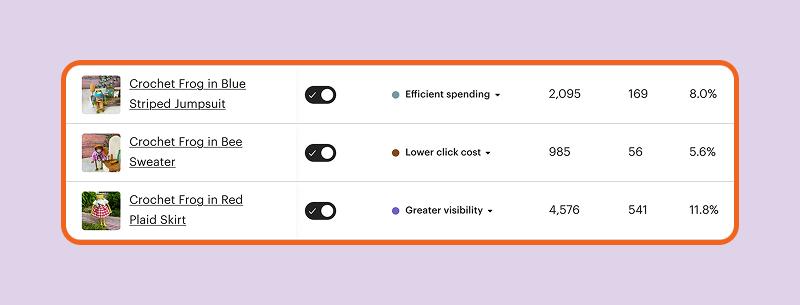
When you set a strategy for a listing, you're telling Etsy what to prioritize for that listing. Etsy then optimizes toward that goal.
Not sure where to start? Here are a few approaches to consider:
| Strategy | What it optimizes | When to use it |
|---|---|---|
| Greater visibility | Focuses on getting your listings more reach | A good fit for your bestsellers, new listings you want to launch, or key shopping moments like Mother's Day or the holiday season. |
| Lower click cost | Guides the system toward lower-cost clicks | Useful for listings with thinner margins or limited inventory where you want to stay present in search without spending too much. |
| Efficient spending | Takes a balanced approach | The default option, use this for all other listings. |
Revisit your listing strategies ahead of key shopping seasons like back-to-school or big holidays when buyer demand is higher and it may make sense to boost certain listings.
You can update a listing's strategy at any time, so there's no pressure to get it perfect. Try something, give it about 30 days, and see what works for your shop.
Where to find this feature
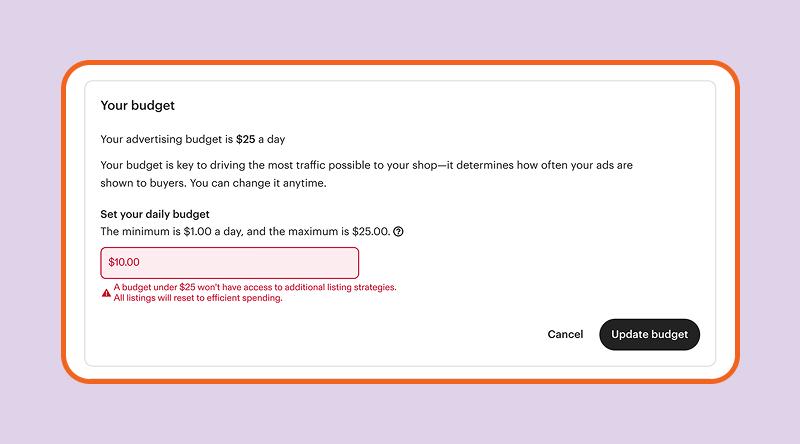
If your daily ads budget is $25 or more, go to your Etsy Ads dashboard to set listing strategies. From there, you can manage strategies across your listings and adjust how your budget is used.
Not at $25 a day yet? Increasing your daily budget to $25 or more unlocks listing strategies.
 Words by Etsy Staff