Responding to customer questions is one of the most crucial ways you can take a buyer’s experience from good to great. But adding that uniquely human touch to every message takes care, patience, and one of your most valuable resources: time. And we want to help you make the most of what you’ve got.
With the busiest time of the year on the horizon, we’re introducing a new tool: the writing assistant. It’s designed to help you provide your buyers with great customer service through quick responses to their most frequently asked questions.
During beta testing, we heard from sellers that the writing assistant helped them save time and easily personalize and adjust messaging in the tool to make for a better shopping experience. For now, the writing assistant is only available to a small group of US sellers, but we’re busy gathering feedback and making improvements to bring this experience to even more of you.
Here, we dive into what the writing assistant is, how to use it, and how you can share valuable feedback to help us improve it.
What it is
The writing assistant is an AI-powered tool that helps you save time drafting messages to buyers. Using relevant information from your shop (like item descriptions in your listings and similar messages with past buyers), the writing assistant crafts a response that stays true to your unique voice.
Whether you need a little extra help editing your writing or you just need a bit more time back in the day to focus on other tasks, the writing assistant is there to help you respond to buyers’ questions even faster. And if you respond to messages within 24 hours, that’ll go toward helping you earn or keep your Star Seller badge. In fact:
- Sellers who consistently earn Star Seller badges experience 22% higher sales* and a 27% increase in customer loyalty.**
- Sellers who respond to buyer messages that are sent before a purchase in less than two days have a 27% higher conversion rate on average.***
How to use it
Every time a buyer gets in touch with you, you get to choose whether you want to write your own response from scratch or use the writing assistant—it’s entirely up to you. If you’re ready to give the writing assistant a try, here’s how to do it:
- From your desktop or the Etsy Seller app, go to your Messages.
- Select a message that needs a response.
- Below the reply field, select the sparkle icon.
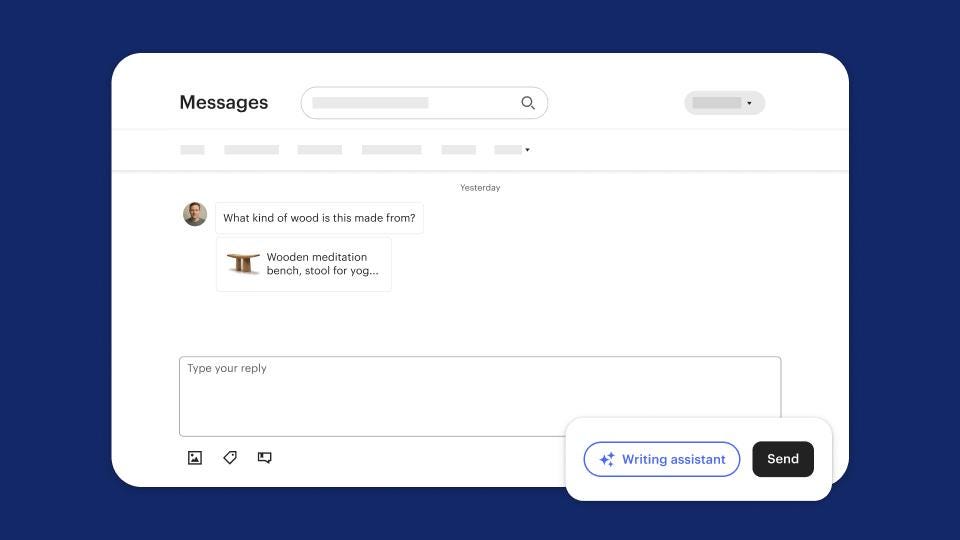
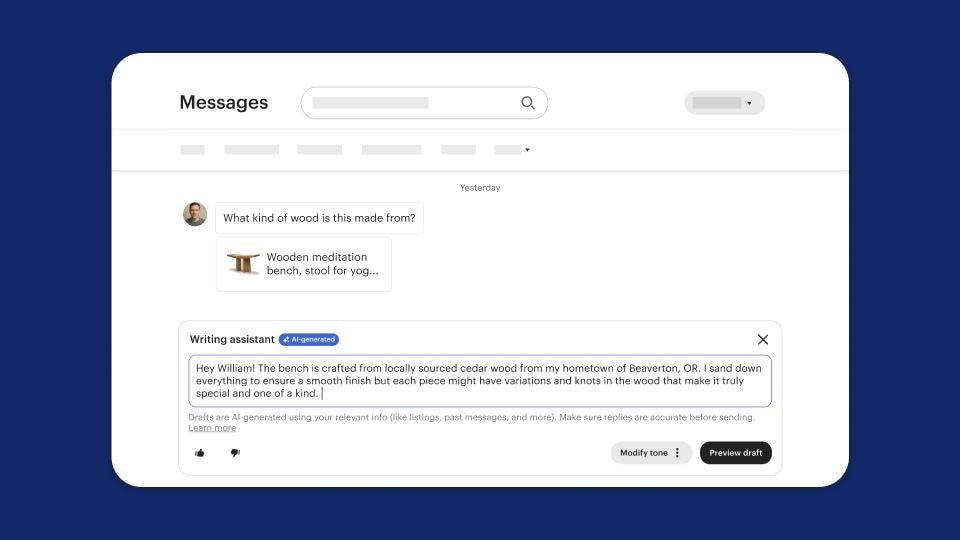
- The writing assistant will craft a response based on information that’s already available from your shop, like item descriptions or similar messages with past buyers. Make sure your listings—especially your item descriptions—are up to date to help the writing assistant create more helpful responses.
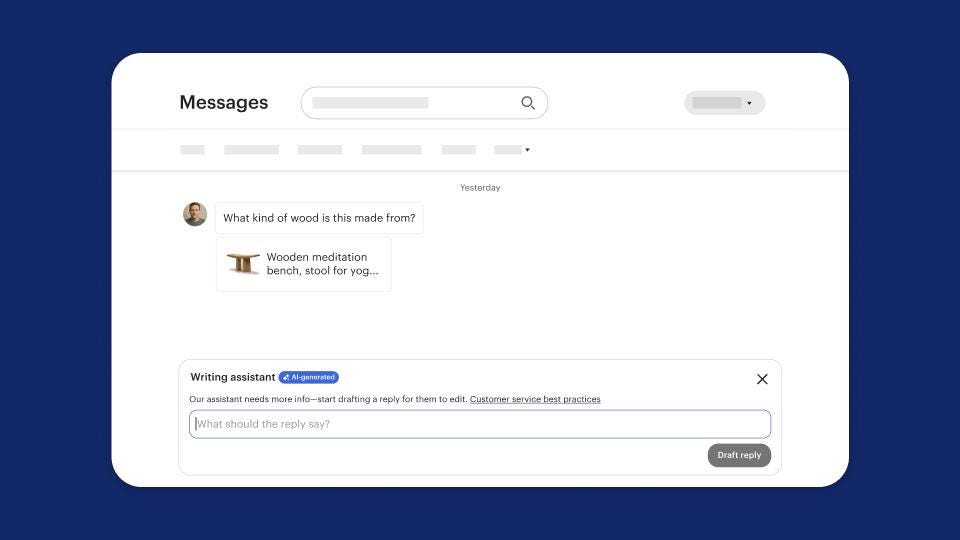
- If there isn’t sufficient information for the writing assistant to craft a response, you can write your own response, then select “Draft reply" to rephrase your writing into a friendlier or more customer-service oriented tone.
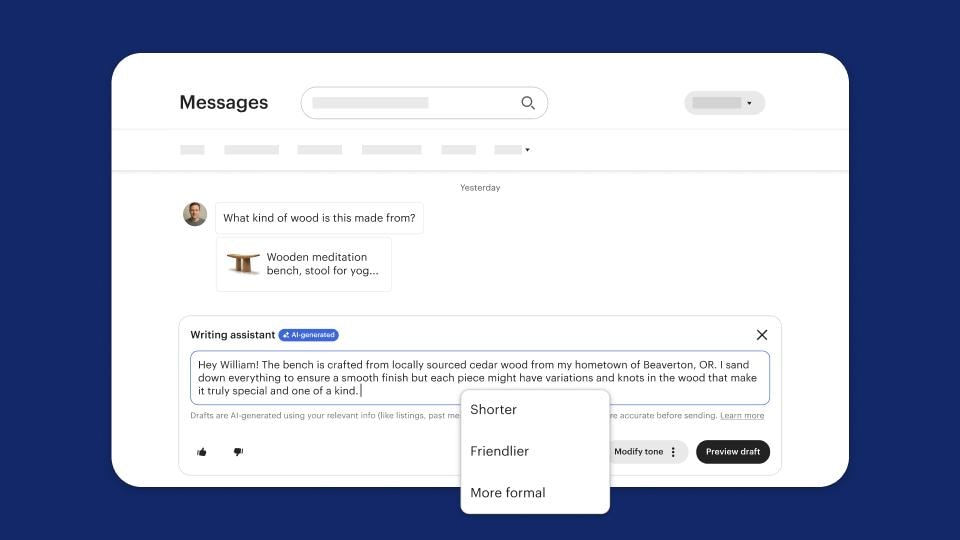
- Once the initial draft is ready, it’s time for a quick review for accuracy and tone. You can leave the response as-is, adjust the wording yourself, or ask the writing assistant to modify the response even further for you!
Frequently asked questions
Q: Is the writing assistant optional?
A: Yes, always! You get to decide on a message-by-message basis whether the writing assistant will be helpful in crafting a response. If you do decide to use it, just select the sparkle icon below the Reply field in any message (and make any adjustments you want before you send). If you don’t feel like using the writing assistant, you can write your response manually or use quick replies as usual.
Q: Is this meant to replace my own written messages?
A: Not at all. When we set out to create the writing assistant, we didn’t want to make something that would replace the real human connection between you and your buyers. Rather, we wanted to create a tool that would allow you to provide that human connection without having to write something from scratch during times of higher volume or other competing priorities. All generated responses are in your own voice because they’re based on language that you’ve already written yourself in item descriptions and past responses.
Q: How do I decide whether to use the writing assistant, quick replies, or a completely new response?
A: You’re always free to use whichever method you prefer, but we know that guidance can be helpful. Here are scenarios where you may consider using each method.
- Frequently asked questions: Use the writing assistant to quickly draft a response. If you particularly like a response, feel free to save it as a quick reply to easily use it again in the future.
- A new or rare question: Draft a response, and use the writing assistant to help edit and finalize your message.
Q: What happens if the writing assistant doesn’t have enough information to craft a response?
A: If there isn't enough information for the writing assistant to formulate an answer, you'll be asked to provide more details. The writing assistant will refine what you provide—whether it’s a few short phrases or fully formed sentences—into a friendlier, customer service-focused response.
Q: Where do I try the writing assistant?
A: Open one of your customer messages and click the sparkle icon to start using the writing assistant. For now, the writing assistant is only available on desktop or on the Etsy Seller app to a small group of eligible sellers.
Q: What message information does the writing assistant use to generate its responses?
A: The writing assistant uses your relevant past messages. That includes:
- Messages within the current conversation
- Messages from past customers’ conversations
Q: Will shoppers know that I drafted a message using the writing assistant?
A: No, messages drafted with the help of the writing assistant aren’t displayed differently than other messages to shoppers.
Q: What if I already use quick replies?
A: You’re welcome to keep using them. If you do try the writing assistant and really like one of the responses it generates, you can even save it in your quick replies for future use.
* Based on sales data from January 1 through May 1, 2025.
** Based on 30-day repeat purchase rate from October 1, 2024 through June 27, 2025.
*** Based on 2024 conversion metrics of sellers who responded to buyer messages in less than two days rather than more than two days.
 Words by Etsy Staff